
Kanban Boards vs Gantt Charts: Which Is Better in 2026?
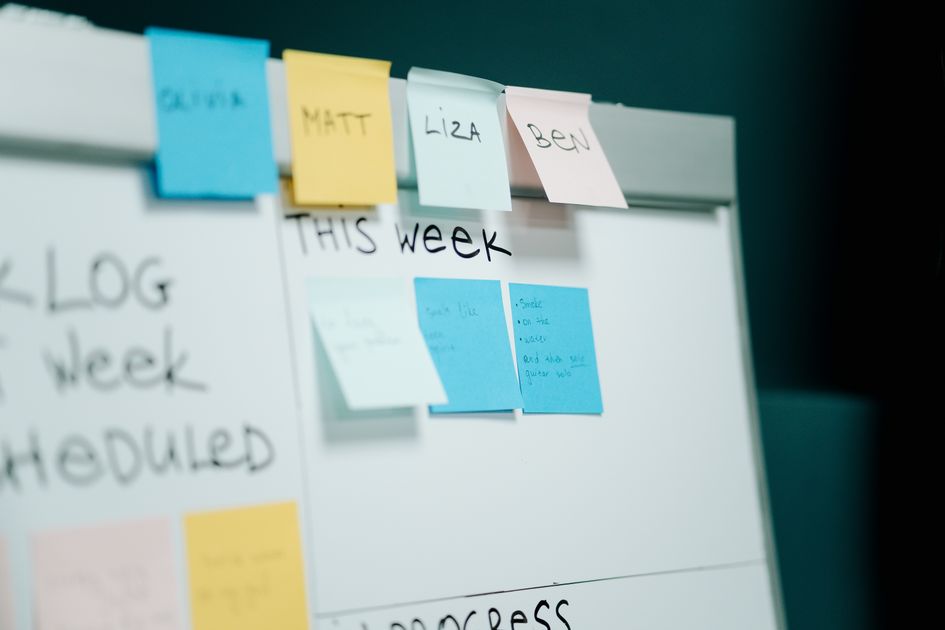
Photo by cottonbro studio on Pexels
Kanban boards and Gantt charts are the two dominant ways to visualize project work — and they answer different questions. Kanban shows what’s happening right now as cards moving through columns. Gantt shows what’s happening when as horizontal bars on a timeline. Picking the right one (or using both for different audiences) makes the difference between visibility and confusion.
Quick Definitions
- Kanban: Visual board with columns (To Do, Doing, Done) and cards representing tasks. Originated at Toyota in the 1940s.
- Gantt: Horizontal bar chart showing tasks against a timeline, with dependencies and milestones. Created by Henry Gantt in 1910s.
At-a-Glance Comparison
| Feature | Kanban | Gantt |
|---|---|---|
| Primary purpose | Workflow visualization | Timeline visualization |
| Best for | Continuous workflow | Fixed-deadline projects |
| Time axis | None | Yes (horizontal) |
| Dependencies | Limited / implicit | Explicit |
| Update frequency | Continuous | Weekly |
| Stakeholder view | Status-focused | Timeline-focused |
| Methodology | Lean, Agile | Waterfall, traditional PM |
When Kanban Wins
- Continuous workflow — support tickets, content production, ops
- Unpredictable arrival of work — tasks come in at varying times
- Small to mid-size teams (under 25)
- Visual learners — drag-and-drop is intuitive
- Async / remote teams — easy to scan status without meetings
When Gantt Wins
- Fixed deadlines — product launch, event, regulatory deadline
- Many task dependencies — task B blocks task C blocks task D
- Long projects (3+ months)
- Stakeholder reporting — execs want timeline view
- Resource planning — see who’s overcommitted when
- Construction, manufacturing — sequential work with handoffs
Kanban Strengths and Weaknesses
Strengths:
- Easiest to onboard non-technical team members
- Always shows current state at a glance
- Surfaces bottlenecks (column with too many cards)
- WIP (Work in Progress) limits prevent overcommitment
Weaknesses:
- No timeline visibility
- Dependencies hard to express
- Long-term planning difficult
- Doesn’t show resource allocation
Gantt Strengths and Weaknesses
Strengths:
- Clear timeline visibility
- Explicit dependencies (task B starts after task A)
- Critical path identification
- Resource allocation across timeline
- Excellent for stakeholder communication
Weaknesses:
- Goes stale quickly without updates
- Overhead to maintain
- Brittle when dependencies change
- Less useful for ongoing operations
Common Use Cases
| Project Type | Best View |
|---|---|
| Software dev sprints | Kanban |
| Marketing campaign launch | Gantt |
| Customer support queue | Kanban |
| Construction project | Gantt |
| Content calendar | Kanban (for production) + Gantt (for editorial cycle) |
| Product launch | Gantt |
| Sales pipeline | Kanban |
| Event planning | Gantt |
| Recruiting pipeline | Kanban |
| Compliance audit | Gantt |
Tools That Support Both
Most modern PM tools support both views:
| Tool | Kanban | Gantt |
|---|---|---|
| ClickUp | Yes | Yes (Business+) |
| Asana | Yes | Yes (Premium+ Timeline) |
| Monday.com | Yes | Yes |
| Trello | Yes | Limited (Power-Up) |
| Jira | Yes | Yes (Advanced Roadmaps) |
| Smartsheet | Yes | Yes |
| Linear | Yes | Limited |
| Wrike | Yes | Yes |
See Best Project Management Software and Best Gantt Chart Software.
How to Combine Both
Many teams use both views for different audiences:
- Team uses Kanban for day-to-day work
- PM maintains Gantt for stakeholder reporting
- Both views fed by same task data
ClickUp, Asana, and Monday.com all support this — same tasks, different visualizations.
Recommended Tools
💡 Best simple Kanban: Trello — easiest onboarding, free tier.
💡 Best dedicated Gantt: TeamGantt — purpose-built Gantt with free tier.
💡 Best for both views: ClickUp — Kanban + Gantt + 13 other views.
Decision Framework
| Question | Lean Toward |
|---|---|
| Is the work continuous (always coming in)? | Kanban |
| Is there a hard deadline? | Gantt |
| Are there strict dependencies? | Gantt |
| Is the team agile/lean? | Kanban |
| Do execs want timeline view? | Gantt |
| Is the team distributed/async? | Kanban |
| Is this construction/manufacturing? | Gantt |
FAQ — Kanban vs Gantt
Q: Can I use Kanban and Gantt together? A: Yes — many teams do. Same tasks, different views. Most modern PM tools support both.
Q: Which is easier for non-technical teams? A: Kanban — drag-and-drop is more intuitive than parsing a Gantt timeline.
Q: Do agile teams use Gantt charts? A: Less commonly. Agile teams typically prefer Kanban or sprint boards. Long-cycle Agile programs may add Gantt for stakeholder reporting.
Q: What are WIP limits in Kanban? A: Maximum number of tasks allowed in any “in progress” column. Prevents teams from starting work they can’t finish.
Q: Can Trello do Gantt? A: Limited — via Power-Ups. Trello is fundamentally a Kanban tool.
Related Reading on Finerogold
- Best Project Management Software of 2026
- Best Gantt Chart Software
- Free Project Management Tools for Small Teams
- Agile vs Waterfall
- How to Choose Project Management Software
Bottom Line
Use Kanban for continuous workflows, agile teams, and ongoing operations. Use Gantt for fixed-deadline projects with dependencies. Most teams benefit from both — Kanban for day-to-day execution, Gantt for stakeholder timeline communication. Modern PM tools (ClickUp, Asana, Monday) let you switch between views on the same data.
This article is for informational purposes only.
By Finerogold Editorial · Updated May 9, 2026
- kanban
- gantt
- comparison